Chart Maker Pro: Bubble Chart1.0
Publisher Description
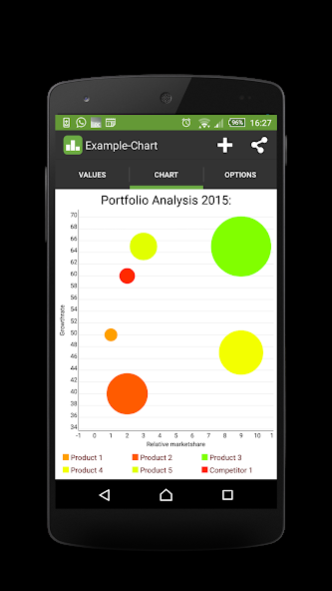

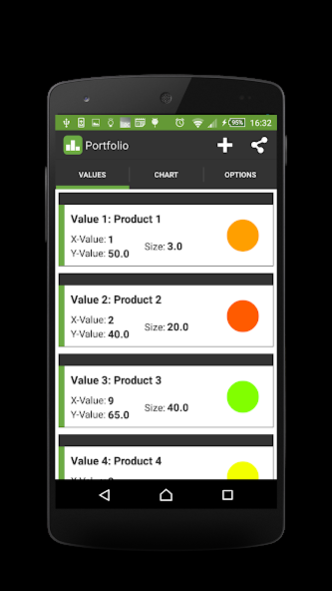
Charts are a great way to communicate information visually. Chart Maker Pro: Bubble Chart helps you to create, design and share your own bubble charts within minutes. Perfectly suitable for business and professional bubble charts. With its intuitive design and controls Chart Maker Pro: Bubble Chart is the best App for mobile bar chart creation.
Features:
- Save your charts for later use and modifications
- Individual annotation settings
- See your changes immediately - dynamic and permanent chart redrawing
- Individual Textsize and Textcolor for each bubble chart
- Copy existing charts for different versions and small adjustments
- Individual chart design
- Share your charts directly via Messaging-Apps or E-Mail
- Add a limitline to your graphs
Just give it a try. If you miss any features, don’t hesitate to contact us. We are willing to help our customers and add more features.
About Chart Maker Pro: Bubble Chart
The company that develops Chart Maker Pro: Bubble Chart is Selfmade Mobile Solutions. The latest version released by its developer is 1.0.
To install Chart Maker Pro: Bubble Chart on your Android device, just click the green Continue To App button above to start the installation process. The app is listed on our website since 2015-08-28 and was downloaded 5 times. We have already checked if the download link is safe, however for your own protection we recommend that you scan the downloaded app with your antivirus. Your antivirus may detect the Chart Maker Pro: Bubble Chart as malware as malware if the download link to maker.bubblechart is broken.
How to install Chart Maker Pro: Bubble Chart on your Android device:
- Click on the Continue To App button on our website. This will redirect you to Google Play.
- Once the Chart Maker Pro: Bubble Chart is shown in the Google Play listing of your Android device, you can start its download and installation. Tap on the Install button located below the search bar and to the right of the app icon.
- A pop-up window with the permissions required by Chart Maker Pro: Bubble Chart will be shown. Click on Accept to continue the process.
- Chart Maker Pro: Bubble Chart will be downloaded onto your device, displaying a progress. Once the download completes, the installation will start and you'll get a notification after the installation is finished.
